The Latest Catapult Product Updates
Across Catapult’s product suite, our teams continue to release updates that help coaches, analysts, sports scientists, and performance staff work faster, communicate more clearly, and make better decisions with less friction.
This product update roundup brings together some of the latest improvements across our Tactics & Coaching and Performance & Health solutions. Some are major workflow upgrades. Others are smaller enhancements built directly from customer feedback. All are designed to help teams save time and get more value from the tools they already use.
Tactics & Coaching Updates
Pro Video Suite
The Pro Video Suite updates help analysts, video staff, and coaches create cleaner presentations, streamline live workflows, reduce manual steps, and get video to the right people faster.
Next-Level Annotations
Applies to: Focus, MatchTracker, and Hub
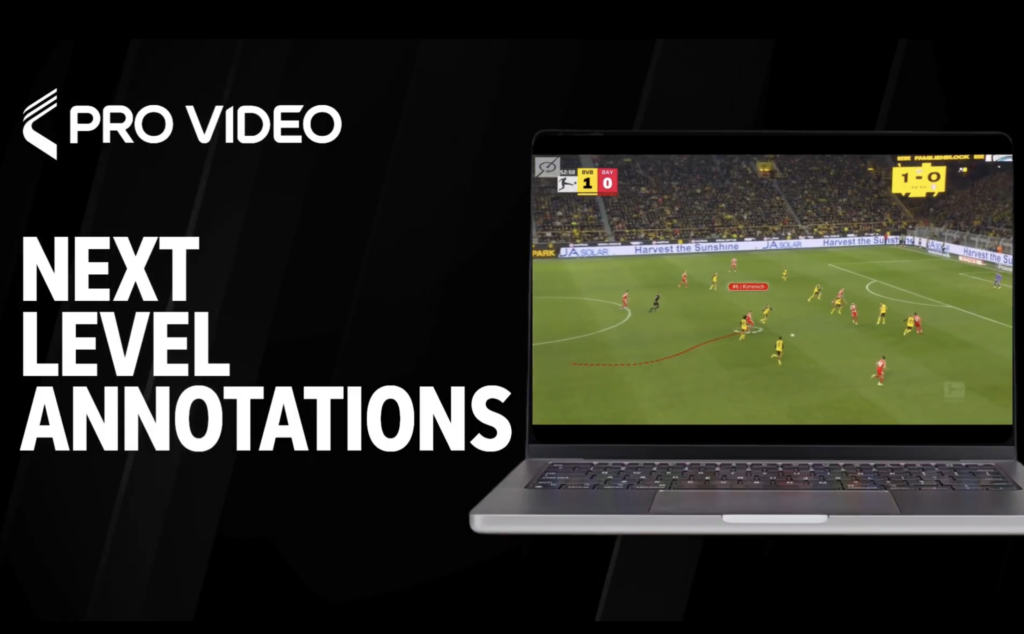
Next-Level Annotations bring a major upgrade to the annotation and presentation toolkit across Focus, MatchTracker, and Hub.
Coaches and analysts now have access to improved drawing tools, customizable overlays, new player icon styles, multi-edit functionality, distance and speed metrics, and faster presentation workflows.
For video and performance analysts, this means less time formatting clips and more time communicating the tactical insights that matter. For coaches, it means cleaner film sessions, clearer feedback, and more professional presentations for players and staff.
Focus
Focus updates are built to help video staff and analysts move faster during live capture, gameday tagging, clip export, sharing, and review workflows.
Timeline Tag Flagging
We’ve introduced Timeline Tag Flagging, a high-priority categorisation layer designed to help you curate specific moments for review or presentation. This provides a flexible, visual workflow for organising your session data with speed and precision. Customise your flags and what happens to the Tags that are flagged, and quickly filter on your flag clips.
Export Video Right Click
Focus now includes a right-click Export Video option for selected tags or rows.
Instead of opening the export dialog and manually finding the right clips, users can export selected content directly from their workflow.
This makes clip export faster, simpler, and easier to manage during busy analysis windows.
Hide Empty Label Groups
Users can now hide empty label group columns in Focus List View.
This helps teams simplify their workspace, reduce visual clutter, and focus only on the label groups that matter for the current workflow.
For users working with richer data sets, this creates a cleaner and easier-to-maintain analysis environment.
Default Hub Sharing
Default Hub Sharing allows users to automatically apply predefined sharing permissions to new Hub uploads.
This saves time, reduces the risk of forgetting to share important content, and helps ensure the right stakeholders always receive the video they need.
For analysts and video staff, it removes a repetitive step from the sharing process while improving consistency across the team.
Gameday Tagging Improvements for American Football
Focus now includes several improvements to the Gameday tagging workflow, helping video staff work faster during live events.
Users can log TV copy with separate in and out marks from other angles, use additional Thunder keyboard shortcuts, and automatically generate a standard two-second scoreboard clip before each play.
These updates give gameday loggers more flexibility and reduce manual work when capturing live video.
Profiles in Live Capture for American Football
Profiles in Focus Live Capture allow users to assign a device profile, such as Offense, Defense, or Special Teams, and filter incoming clips based on that profile.
This helps position coaches, players, and staff receive only the clips that are relevant to them. A defensive coach, for example, can view only defensive clips instead of sorting through offense and special teams content.
The result is less clutter, faster review, and a more focused video experience for each position group.
MatchTracker
MatchTracker updates are designed to help performance analysts save time, protect live edits, and access synced match packages faster.
Live Custom Edits Not Overridden
Custom edits to live tags in Focus are no longer overwritten by MatchTracker.
This allows analysts to add label information to clips during a live game without losing those edits when MatchTracker updates the timeline.
For performance analysts, this creates a smoother live workflow and helps preserve important context throughout the match or game.
Automated Delivery of MatchTracker Packages
MatchTracker now supports automated package delivery for several leagues, removing the need to manually download, import, sync, and publish game data.
Users can simply check for updates and access the latest synced games from supported leagues within minutes.
This saves time, reduces repetitive admin work, and helps analysts get into review faster.
Shot Cone to Shots Display
We Added ‘Shot Cone’ to the Shots display, which is a count of opposition players, including the goalkeeper, within the triangle between the shot location and the two goalposts at the moment the shot is taken. Available for matches with Positioning data.
Hub Focus Sessions
You can now create customised Hub Focus Sessions directly from MatchTracker matches. Share tags and video to your team in seconds – streamlining workflows and saving valuable time.
Hub
Hub updates help teams collaborate on presentations, refine shared clips, and make coaching content easier to finalize.
Presentation Trimming
Users can now trim clips after they have been added to a shared Hub Presentation.
This makes it easier for analysts and coaches to collaborate on the same presentation, continue adding clips, and finalize edits later without rebuilding the workflow.
It gives teams more flexibility when preparing shared presentations and film sessions.
IMPECT – Football/Soccer
IMPECT updates help scouting and analysis teams evaluate players faster, access more relevant video, and connect scouting content into their broader Catapult workflow.
IMPECT Video Scouting
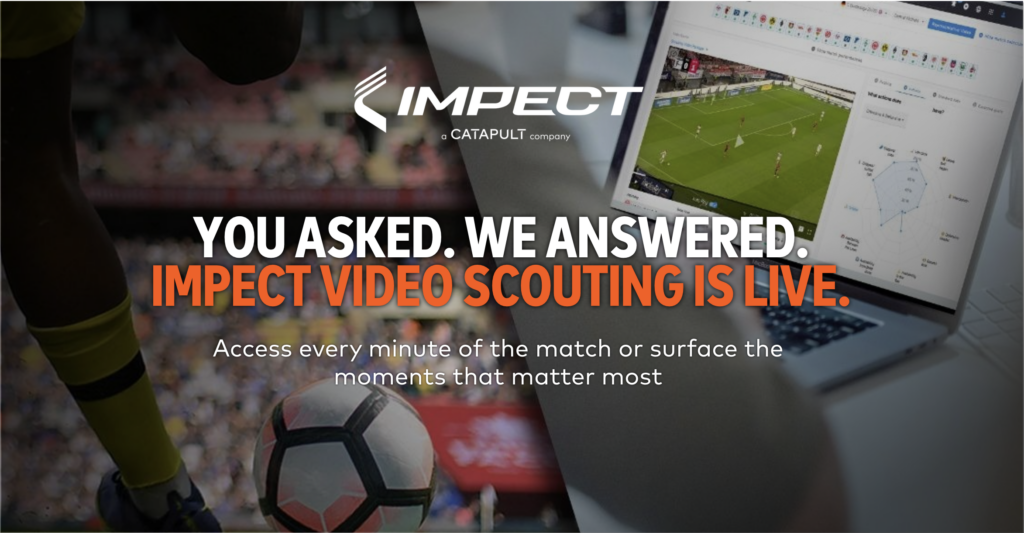
IMPECT Video Scouting is live! We now have broader market coverage for video, deeper integrations with Catapult Pro Video, and new workflows that help scouts evaluate players with greater speed and context.
Additional recent updates include expanded competition coverage across key recruitment markets, seamless integration with Hub and Focus, goalkeeper-specific scouting workflows, Effective Match Time to reduce video review time, best-fitting profiles per match, a universal time filter, enhanced Game Impact visualization, new scouting topics, and streamlined sharing, clipping, and export workflows.
As IMPECT Video Scouting continues to evolve, clubs can access more relevant video, get to the moments that matter faster, evaluate more players in less time, and move seamlessly from identifying talent with Packing® data to validating player fit through contextual video.
Hub and Focus Integration for Video Scouting
IMPECT Video Scouting now integrates with Hub and Focus, with added support for offline video workflows.
Users can share scenes and playlists directly from the Video Scouting tool into Hub or Focus presentations, helping scouting and analysis content move more easily into existing team workflows.
This makes video scouting content easier to distribute, easier to review, and easier to connect to the broader Catapult video workflow.
Hub Pro – American Football & Ice Hockey
Hub Pro updates support the transition from legacy Thunder workflows into a faster, more modern coaching experience.
Hub Pro 2.0
Hub Pro 2.0 is the next-generation coaching workstation for American football teams. Now available on Windows, Mac, and iPadOS!
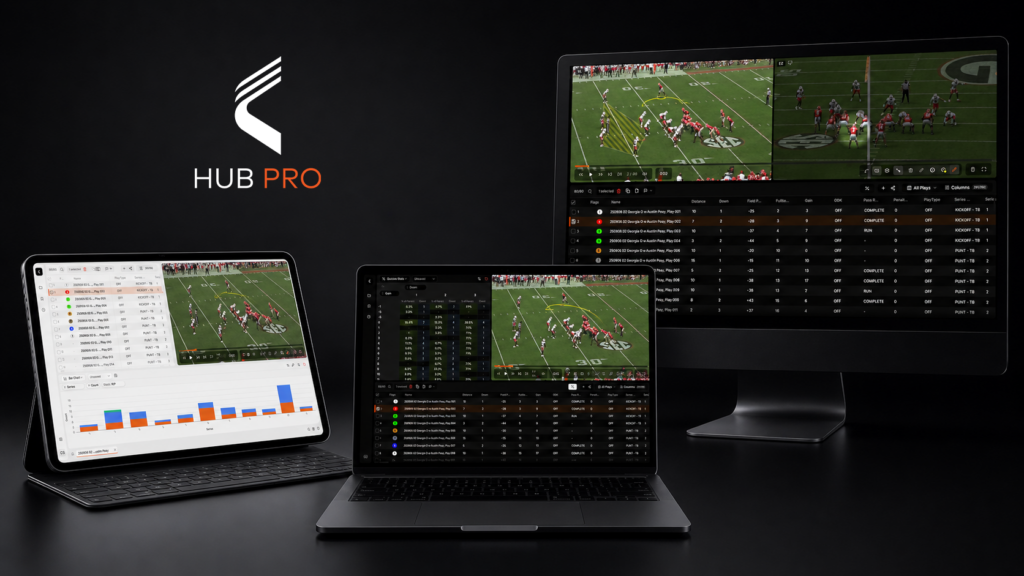
Built to support the transition from legacy Thunder workflows, Hub Pro 2.0 gives coaches and video coordinators a faster, more modern way to review, teach, share, and present video while keeping the coaching experience teams already know.
It helps remove legacy friction like travel mode, check-out workflows, and physical server dependency, while preserving the workflows coaches rely on every day.
In simple terms: keep the workflow, lose the friction.
Ability to Download Lists for Offline Use
Hub Pro now allows coaches to download selected lists for offline use. This helps coaches move in and out of the office, travel, or work in lower-connectivity environments without losing access to key video content.
It creates a smoother workflow for coaches who need reliable access wherever preparation happens.
Enhancements to the Drawing Editor
Hub Pro now includes enhancements to the Drawing Editor, giving coaches access to higher-quality annotations with fewer clicks.
This helps coaches create clearer teaching moments, improve presentation quality, and spend less time building out visual feedback.
Next Generation Quickie Stats & Charting
Hub Pro now includes advanced pivot tables and real-time charting. This helps coaches make better informed decisions instantly without leaving the film.
Thunder
Thunder updates help video staff maintain critical workflows while supporting new media formats and improved cloud access.
Import and Edit Osprey Media Content
Thunder now supports importing and editing 1080p Osprey media content.
This enables video staff, especially at the professional American football level, to continue standard Thunder workflows with the media formats expected in upcoming seasons.
User Folder Upload
Thunder users can now upload User Folders to the cloud without relying on Gameplans.
This makes it easier for video staff to make user folder playlists available in cloud apps and gives teams access to more media with fewer setup steps.
Performance & Health Updates
Vector
Vector updates help performance teams improve athlete monitoring, simplify reporting, and keep athlete data connected across environments.
Fixed Time Annotations
Fixed Time Annotations allow sports scientists to generate evenly spaced time-based intervals, such as every five minutes, directly from selected periods in the web editor.
Those intervals appear on the timeline and flow through reporting, CSV export, and the API.
This helps teams analyze intensity, fatigue curves, and peak demands without relying on manual workarounds or external tools. For sports scientists, it makes time-based reporting faster, more consistent, and easier to scale.
Vector Share Center
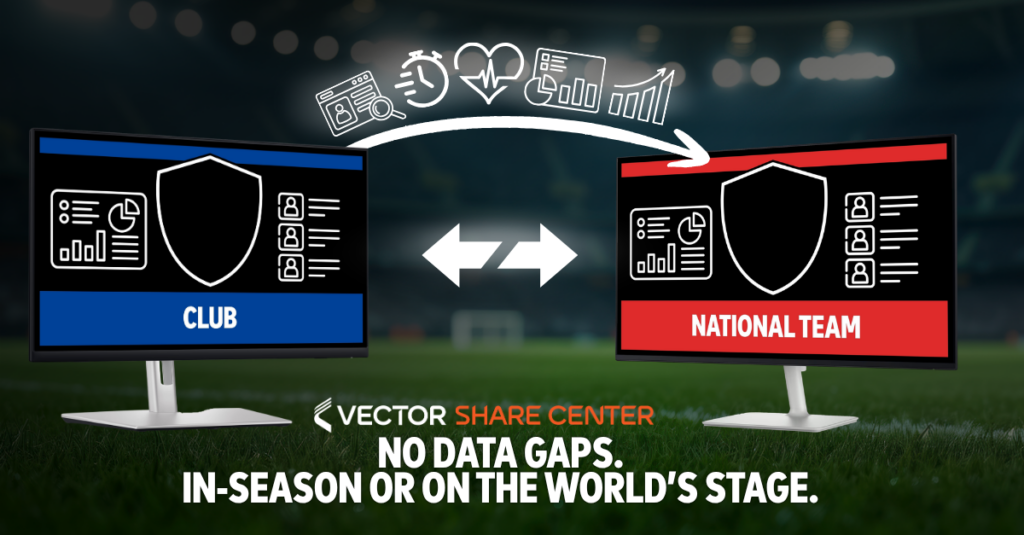
Vector Share Center enables secure two-way athlete data sharing between OpenField users.
This is especially valuable when athletes move between organizations, such as clubs and national teams, loan environments, academies, or connected squads.
Instead of chasing files, requesting exports, importing CSVs, or rebuilding athlete context manually, authorized organizations can securely send and receive athlete activity data through the cloud.
Vector Share Center helps performance teams maintain a more complete athlete record while giving organizations control over shared metadata and protecting sensitive performance IP.
Small Group & Return to Play Monitoring
Vector Small Group & Return to Play Monitoring gives coaches a mobile, hands-free way to monitor athletes during rehab, return to play, conditioning, and small-group sessions.
Using the Catapult Vector App on iPhone or iPad, plus a new Apple Watch experience, coaches can view live data without setting up a full monitoring environment.
This helps staff stay closer to the athlete, make faster in-session decisions, and keep rehab or small-group sessions connected to the broader performance picture.
PERCH
Perch updates help strength coaches make training data more visible, more personalized, and more actionable across the weight room.
Perch P2
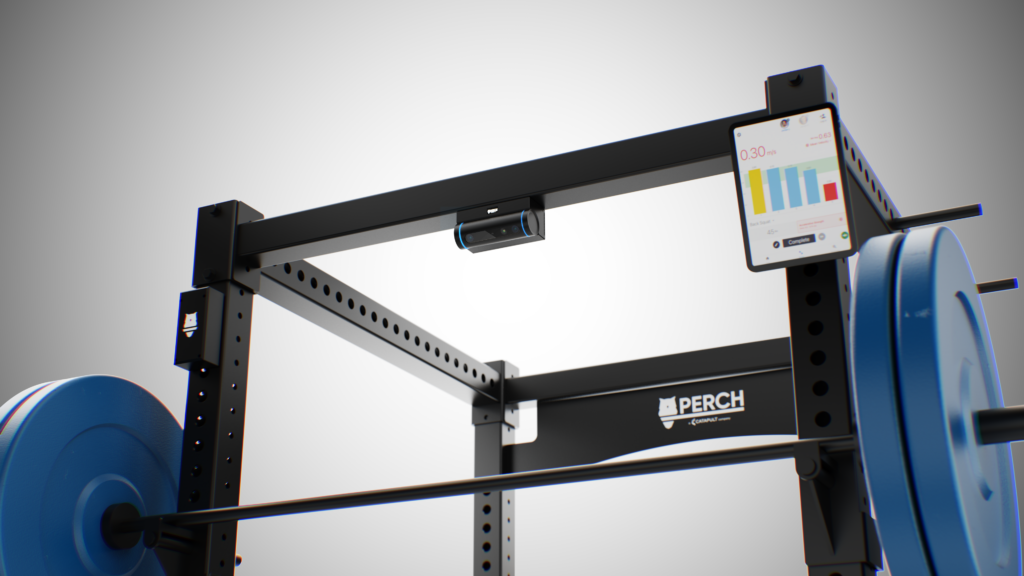
Perch P2 is the latest generation of Perch hardware, built to make tracking more flexible across various weight room environments.
A wider field of view captures more data across more movements setups, while improved tracking capabilities support a smoother training experience. LED lights and video playback are enabled for better feedback. And a smaller, sleeker design makes P2 easier to deploy across racks, rooms and training setups.
P2 upgrades improve and update the overall Perch experience while making the hardware more flexible and versatile across training environments.
Perch Display
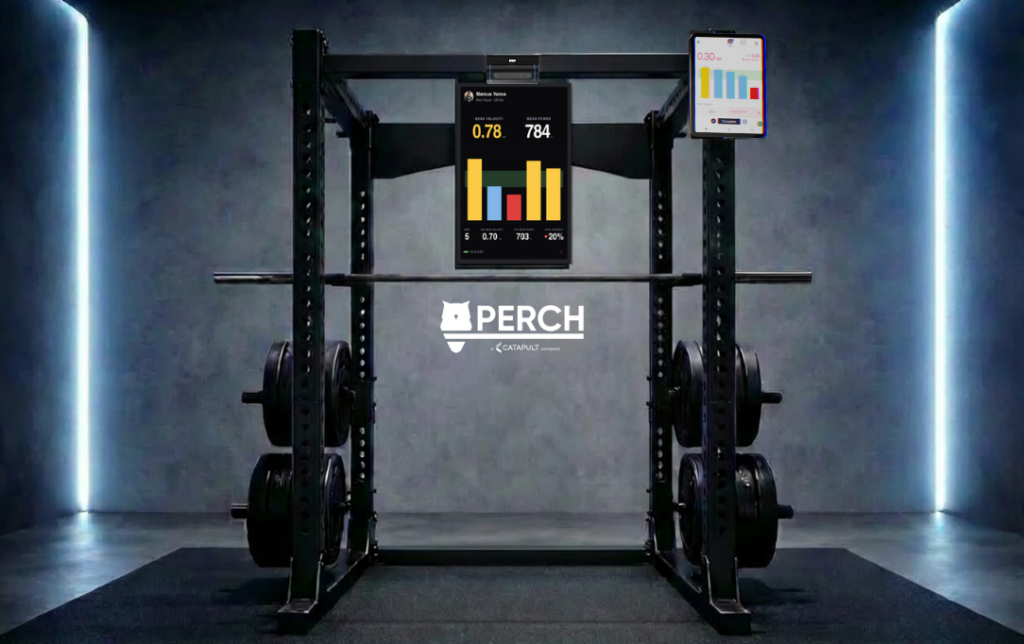
Perch Display brings the Perch experience to weight room TVs and monitors.
With Perch Cast hardware, teams can show live velocity, reps, feedback, leaderboards, workout plans, and training information across the room.
This solves a common visibility challenge in busy weight rooms. Coaches and athletes no longer need to rely only on a tablet at the rack. Performance feedback becomes easier to see, easier to coach, and more motivating for athletes.
Plan Tracks
Plan Tracks allow coaches to create unique workout variations by position, group, or individual athlete within one unified training program.
This gives coaches more flexibility to personalize training without creating disconnected plans or losing sight of the main program.
For strength coaches managing large groups, Plan Tracks make individualization easier to organize, easier to deliver, and easier to understand.
Exercise and Plan Activity Variables
Exercise and Plan Activity Variables give coaches more control over what athletes see and report inside Perch.
Coaches can set default variables at the exercise level or adjust the displayed variable for a specific activity within a plan, including untracked exercises.
This helps Perch support more of the full training plan, not just tracked barbell movements. Athletes get clearer direction, and coaches get more complete context around completed work.
Assist Mode
Assist Mode helps coaches make real-time load adjustments on the weight room floor.
Using an athlete’s load-velocity profile and live performance, Assist Mode recommends whether an athlete should add or remove weight to stay in the intended training zone.
This helps reduce guesswork, keep training aligned with the coach’s intent, and support safer, more effective loading decisions across the team.
Ballistic Load-Velocity Profiles
Perch now supports load-velocity profiles for ballistic movements.
Coaches can view LV profiles, Perch Intelligence Scores, Perch Train Scores, and estimated 1RMs for ballistic exercises.
This gives performance staff more visibility into explosive and Olympic-based movements, helping them better understand athlete capabilities beyond traditional strength lifts.
Mean Propulsive Velocity
Perch now includes Mean Propulsive Velocity.
MPV focuses on the portion of the concentric movement where the athlete is actively accelerating, helping coaches better understand intent and execution without the metric being influenced by bar deceleration.
This gives coaches another way to evaluate whether athletes are moving with the desired speed and intent.
Perch Performance Scores
Perch Performance Scores give coaches a more digestible way to understand changes in athlete performance over time.
Derived from athlete load-velocity profiles, these scores help quantify changes in total performance, strength capabilities, and speed capabilities.
For coaches, this creates an easier way to benchmark athletes, monitor trends, and make more informed programming decisions.
Built to Help Teams Work Faster and Make Better Decisions
From video workflows and scouting tools to athlete monitoring and weight room performance, these updates are designed to help teams reduce friction, improve clarity, and get more value from Catapult products every day.
Some updates help coaches save clicks. Some help analysts prepare better presentations. Some help scouts evaluate more players. Others help performance teams maintain better athlete context and make faster training decisions.
Together, they reflect Catapult’s continued focus on building connected solutions that help teams coach, analyze, monitor, and improve performance with more confidence.